Adding an MCP server to Coolours

Estimated Reading Time
13 Minutes
Published
11:19 Wednesday 7th October 2026
Updated
11:37 Wednesday 7th October 2026
What building my first MCP server for Coolours taught me about how AI agents really use tools, and the trade-offs and surprises along the way.
Teaching AI Agents to Use Coolours: Building My First MCP Server
Whenever I want to properly understand a new technology, I build something real with it. Reading the specification only gets you so far; the rough edges only show up when you ship something and watch it being used. This time the technology was MCP, the Model Context Protocol, and the something was Coolours, my colour palette tool at coolours.perpetualsummer.ltd.
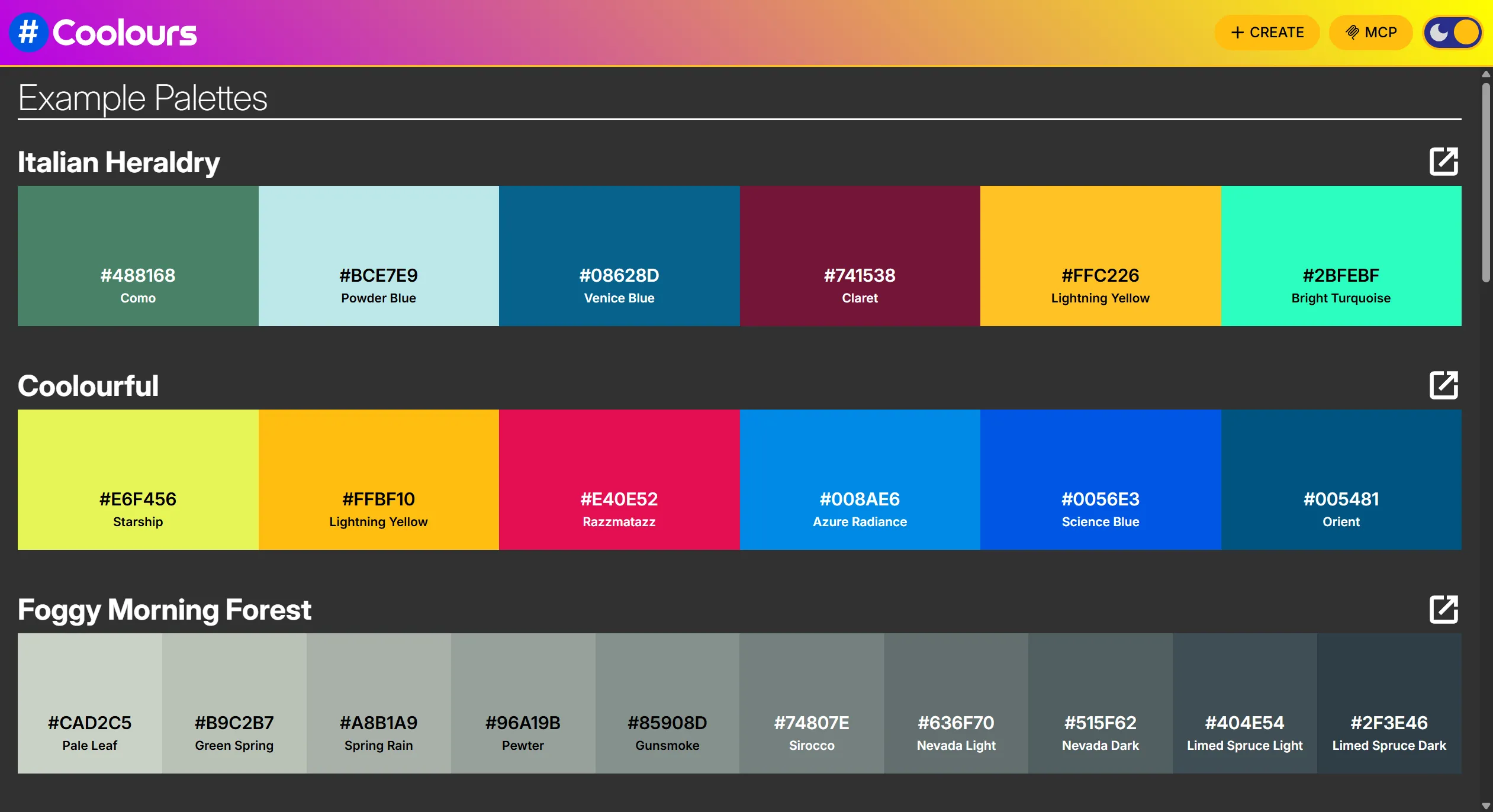
The idea was simple. When you ask an AI coding assistant to design a colour scheme, you get a list of hex codes, and you have to imagine what they look like together. I wanted the assistant to hand you a link instead: one that opens the palette in Coolours, where you can see the colours side by side, adjust them and export them.
It was meant to be a small learning exercise. It ended up touching the product, the hosting, the privacy policy, DNS, two public registries and the source code of VS Code. This post covers how it was designed, what went wrong, and the decisions I had to make along the way.
What MCP actually is
MCP is a standard way for an AI application, such as Claude, VS Code or Cursor, to discover and call tools that live somewhere else. You write a server that describes a few tools. The AI application (the "host") connects to it, reads the descriptions, and the model decides when to call them.
The important detail is that the model never runs your code directly. It only ever sees a tool's name, its description and the shape of its inputs, and it decides from those alone whether your tool is the right one for the job. That sounds like a minor implementation detail. It turned out to shape almost every decision in this project.
Is this even worth building?
The first challenge was honest scepticism about the idea itself.
Coolours already kept a palette's colours and name in the page address: /create/2F3A40-252F34?name=Ocean. An assistant that knew that format could build a link without any server at all. So what would an MCP server add?
The answer was to give the server the jobs language models are bad at, and to make it the way assistants find out Coolours exists in the first place:
- Colour maths. Language models are unreliable at calculating contrast ratios. The server works out the WCAG contrast ratio for every pair of colours, so the assistant can say which combinations are safe for body text instead of guessing.
- Accuracy. Coolours silently drops any colour it can't read, so a bad value would just vanish from the palette with nobody noticing. The server checks every colour first, accepting hex,
rgb()and CSS colour names, and rejects anything with transparency (Coolours has no alpha channel), with an error the assistant can read and recover from. Testing also turned up a nicely obscure bug: a colour "named"constructorslipped through the CSS name check, because of how JavaScript objects inherit properties. - Discovery. An assistant can't use a link format it has never heard of. The server is how it learns Coolours exists.
So there are three tools: one creates a palette link (with colour names and contrast ratios), one reads a Coolours link back (so you can edit a palette on the site and hand it back to the assistant), and one exports the palette as CSS or JavaScript.
Trade-off: where should the code live?
My first instinct was to build the server as its own project, since it would be released and installed separately from the website. That held up for about an hour.
The server needed the site's own logic for building links, validating colours and exporting CSS, and in a separate project the only way to get that was to copy it. Copied code drifts. The day someone changes how Coolours builds a link, the server quietly starts producing broken ones, and no test notices.
So I moved it into the Coolours repository, where it imports the site's own functions directly. That brought its own complications:
- Keeping the two apart where they need to be. The site's type checker and test runner would have tried to check the server's code with the site's dependencies, and failed. They now ignore the server's folder, and the server has its own build and its own CI job, which also runs whenever the site's shared code changes.
- A dependency living two lives. The colour-naming library was installed twice: once for the site and once for the server, at different versions. Worse, the server's tests used the site's copy while the running server used its own, so the tests weren't checking what actually ran. The fix was to stop installing it for the server at all, and bundle the site's copy into the server's build. Now there is one version of the truth.
The first real test: the assistant ignored it
The server passed all its tests on the first day. Then I tried it with a real assistant, and the real lesson of the project started.
I asked Claude Code for "a calm palette for a meditation app". It designed a lovely palette by hand, worked out the contrast ratios itself with a little script, published the result as a web page, and never touched Coolours.
When I read the session log, the reason was clear. With many tools installed (I have several MCP servers connected), the host doesn't send the model every tool's description up front; it sends only the names, and the model has to go looking for anything else. A bare tool name like create_palette_link gave the model no reason to think of it. All the careful wording I'd put into the tool descriptions was invisible.
The fix was a part of MCP I'd overlooked entirely. When a server first connects, it can send a short block of instructions, and hosts put those straight into the model's context whether or not the tools themselves are loaded. A few sentences explaining what Coolours is and when to use it, and on the next attempt the model went straight to the tool.
That's the most important thing I learned: a third-party MCP server is competing with everything else the user has installed, including the host's own built-in features. The instructions are the only text you can rely on the model reading.
Obstacle: the assistant used the wrong names
With the tool in use, the next problem was subtler. The assistant was naming the colours itself, so the names in its reply didn't match the names on the Coolours swatches. The server now returns the name Coolours displays for each colour, and the instructions ask the assistant to use those names, with role labels like "background" alongside if it wants them.
Fixing that exposed a problem in Coolours itself. Similar colours often share a name: two dark greys, #2F3A40 and #252F34, were both called "Outer Space". That was confusing on screen, and worse in exports, which produced two CSS variables with the same name. Coolours now tells them apart by lightness: "Outer Space Light" and "Outer Space Dark", or Light, Mid and Dark for three, and so on up to seven shades, after which it falls back to numbers. The swatches, the exports and the MCP server all use the same function, so they can't disagree.
Building for an AI ended up improving the product for people. I hadn't expected that.
Obstacle: the right palette, the wrong CSS
The next test was more fun. I asked for a colour scheme based on the LCARS interface from Star Trek: The Next Generation. The assistant produced an excellent palette and a link that opened perfectly in Coolours, then wrote out CSS with variable names it had made up: --lcars-orange, --lcars-peach.
The log showed it had never called the export tool, which would have produced the Coolours names. Partly that was my fault: the export tool's description actually suggested renaming the variables to suit the codebase. Mostly, though, it showed a general pattern: agents don't reliably make a second call for something they believe they can do themselves.
So the first call now returns the CSS as well, and the instructions say to use it exactly as given. If you want semantic names, add them as aliases (--background: var(--black);) rather than renaming. The lesson generalises: if an output has to be exact, return it in the first response rather than relying on a follow-up call.
Trade-off: how should people get it?
Running the server on my own machine was fine for testing. To let anyone use it, there were three realistic options:
- Publish it as a package, for each user to install and run locally.
- Host it on Cloudflare Workers, a popular choice for small MCP servers.
- Host it as part of the Coolours site, at
coolours.perpetualsummer.ltd/mcp.
I initially assumed the package would come first and hosting later. On reflection those are alternatives, not steps. A package makes sense when a server needs something from the user's own machine: files, a local database, credentials. Coolours needs none of that; colours go in and a link comes out. Hosting means nobody installs anything, everyone gets fixes immediately, and it works in web-based hosts like claude.ai that can't run local programs at all.
Cloudflare was ruled out by a practical detail: a Worker can only use a custom domain if the domain's DNS is on Cloudflare, and this one isn't, which would have meant an unbranded URL for people to paste into their tools. Serving it from the site itself kept the URL on the product's own domain and reused the existing deployment, with no new infrastructure.
That choice has costs, and I accepted them knowingly:
- The site now depends on the MCP libraries.
- A change to the server needs a website deploy.
- The server shares the site's uptime.
All three are acceptable for a feature of the product rather than a separate service.
A few more decisions came with going public:
- Stateless. Each request gets a fresh server and nothing is kept between requests, because the tools are simple functions with nothing to remember. That avoids a whole class of session-management problems.
- Rate limiting, but generous. The limit sits in the web server in front of the site, rejecting floods before they reach the application. Per-address limits are a blunt tool here, because hosted AI services send requests for many different users from a small pool of addresses, so a tight limit would punish legitimate users. It's set to stop abuse, not normal use. I tested it with a burst of 60 requests: 44 got through and 16 were turned away, exactly as configured.
- Logging without content. The server logs which applications connect and which tools they call, but never IP addresses or the colours themselves. That turned out to be one of the most useful decisions in the project (more on that below).
Obstacle: shipping something public made me audit the whole site
Putting an MCP server in front of the public raised a question I should have asked long before: what does Coolours do with people's data?
The honest answer wasn't great. There was no privacy policy, and the site was loading Google Analytics on every visit, which sets cookies without asking. UK rules require consent before non-essential cookies are set. So:
- I wrote a privacy policy based on what the code actually does, checked line by line rather than adapted from a template.
- I removed Google Analytics and moved the site's click tracking to my own self-hosted analytics, which sets no cookies at all. I verified that in a browser afterwards: no cookies, and nothing loaded from Google except fonts.
- The company website's privacy link turned out to point at a retired site, so perpetualsummer.ltd got a proper privacy page of its own.
A small MCP server turned into a useful privacy audit.
Obstacle: the bugs you only meet when you add a page
Adding a privacy page, a footer and an install dialog to a small site shook out three bugs that had been sitting there unnoticed:
- No way home. The header's HOME button only appeared on the palette editor. A brand new page had no way back to the home page.
- Pages opening halfway down. The site scrolls an inner panel rather than the window, so the router's built-in scroll restoration never touched it. Follow a link from the bottom of one page, and the next page opened scrolled to the bottom too. The fix resets to the top on new pages and restores your position when you press Back.
None of these were caused by MCP, but all of them were found because of the work we did integrating it.
Getting found: registries, DNS and a surprising icon
A server nobody can find isn't much use, so I added an MCP button to the Coolours header. It explains what the server does and how to add it to Claude Code, claude.ai and VS Code, with one-click install links for the editors that support them.
I also published it to the official MCP Registry, the shared directory other catalogues build on. In principle that's simple: describe the server in a small file, prove you own the domain with a DNS record, and publish. In practice there were three more obstacles.
- The publishing tool has a name twin. The official publishing tool is a standalone program. A completely unrelated package with the same name exists on npm. Since the tool needs your private signing key, installing the wrong one by habit would have been a real security risk. In short DO NOT INSTALL mcp-publisher from NPM - it's probably dodgy.
- The DNS wasn't where I thought it was. My domain registrar said the domain's DNS was managed by Cloudflare. Tracing the delegation from the top showed it was actually served by an old hosting account I'd forgotten about. The record went in there, alongside the existing email records, which I made sure weren't overwritten.
- Publishing proved the domain, not the reach. The listing went live within seconds. Getting it in front of people turned out to be a separate problem.
That separate problem showed up in VS Code. I'd given the server an icon, the Coolours # in a blue circle, sent both in the server's handshake and in the registry listing. VS Code kept showing a generic one. Rather than keep guessing, I had Claude Code read the source code of my installed copy of VS Code. Its list of installed servers takes icons only from its own gallery, never from the server itself, and that gallery turns out to be GitHub's MCP registry, not the official one. Getting into GitHub's registry is still a manual review, so I've asked for Coolours to be added.
I also looked at Anthropic's connector directory for claude.ai. Coolours meets its technical requirements already, but submitting needs a Team or Enterprise organisation, which is hard to justify for a free palette tool. For now, anyone on claude.ai can add it as a custom connector by pasting the URL, which works well.
Each layer of the ecosystem has its own rules, and the only way to learn them was to go through them one at a time.
Obstacle: what actually connected?
The logging decision paid off here. When I tested the claude.ai connector and the VS Code integration and both appeared to work, the logs told a different story: every connection so far had come from Claude Code, in the terminal and in the VS Code extension. Neither claude.ai nor VS Code's own MCP client had connected yet. That wasn't a failure, just a gap between what I believed I'd tested and what I actually had. A second round of testing with the right clients filled it in. Without content-free logging I'd never have known.
What I'd tell anyone building one
- Write the server instructions first. They're the one thing every client reliably shows the model; tool descriptions may never be read.
- Make the server do what models can't. Exact calculations, validation and data that has to match the product. Don't make it a thin wrapper around something the model could do itself.
- Return everything a task needs in one call. Agents don't reliably make follow-up calls, especially for things they think they can do themselves.
- Test with real clients, and log enough to know which ones. Unit tests proved the server worked. Only real sessions showed whether anyone would use it, and only the logs showed who was really connecting.
- Keep the server next to the product, sharing its code, so it can't drift out of step.
- Treat going public as a privacy review. If you're inviting the world in, know exactly what you collect and be upfront with your users about it.
- Expect discovery to take as long as building. Registries, galleries and directories each have their own rules and their own pace.
Why this was a dry run
Coolours was always meant to be a rehearsal. I'd like to bring the same capability to SkyScribe.app, my AT Protocol publishing platform, so that an assistant could help an author draft, organise and publish their work.
That's a far bigger job. Coolours' tools are read-only, need no sign-in and handle no personal data. SkyScribe's tools would act on someone's behalf and write to their account, so sign-in, permissions, collaborator roles and what an agent should never be allowed to do all have to be right from the start. After doing it once on something small, I know where the real effort is, and SkyScribe's MCP support will be fully planned before any of it is built. Its going to be a large piece of work so I want to plan it throughly before I start.
That's the approach I bring to client work too. If you're wondering whether your product should work with AI assistants, the best first step is usually a small, real integration you can watch working, rather than a large one built on assumptions. If that's something you're considering, get in touch.